

An epic quest where survival and success depend on your keyboarding skills! A fun game that teaches you how to type or type faster. Designed for personal use and as a school curriculum.
Typing game software


Personal Use

More than a game — an epic quest that teaches keyboarding to beginners and reinforces proper technique for experienced typists.

For Schools
A complete curriculum to bring your keyboarding course alive! Everything teachers need is included. Choose online or offline versions.
Hunt-and-Peck Holding You Back?

Type faster with better accuracy!


Typing is an essential skill for personal and career success!

Finish your school and job tasks quicker.
Have more free time.
Be more productive, take on more tasks, and succeed at school and at work.
Learning proper technique is not easy
Mastering and maintaining proper technique is even harder.
GoVenture Typing makes it fun!

Theme-based quest with compelling story, graphics, music, and sound effects to keep you engaged from beginning to end.

Learn
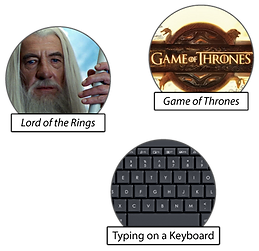
GoVenture makes learning how to type fun and engaging by combining games with a fantasy-science-fiction story narrative, similar in genre to the Game of Thrones or Lord of the Rings.

As a brave knight of the realm, you venture on a quest to save your kingdom from a fire-breathing dragon.
This is the map you will follow on your quest. There are several pieces of the map that will be revealed as you complete challenges.

To aid you in your quest, The King assigns his personal wizard, Rusak the Wise. Rusak will train and prepare you for the challenges ahead.

You will do keyboarding drills, starting with the very basics.

Once you successfully master one level of drills, you will be faced with a challenge. The challenge could pit you against an Orc, Werewolf, or other creature. You might have to mix a potion, race your horse, or battle in combat. Your keyboarding skills will determine your survival and success.

Fireball Challenge

Race Challenge

Potion Challenge

Hiding Challenge

Combat Challenge

Battle Challenge
If you are brave and fast enough to complete your quest, you will earn the recognition of The King and be a hero of the realm.


Tutorial Video
Teach
GoVenture Typing is a complete curriculum to bring your keyboarding course alive! Everything that teachers need is included.
Easy on-boarding of students with class groupings and real-time monitoring of student progress and performance.
Customizable Words-Per-Minute Goal for each student.
The entire game consists of 32 main Levels (letters) plus 16 bonus Levels (numbers and special characters).
Each Level consists of 9 Drills and 1 Challenge. Provides 5, 10, 20 hours or more of training.
Choose ONLINE or LOCAL version. ONLINE version is 100% in the cloud and sold as a yearly subscription. Local version can be installed on individual computers or school network and does not require Internet or yearly subscription fees.
Maximum privacy — ONLINE and LOCAL versions do not require students to disclose personally-identifiable information.


Performance Report
Performance Report Viewed By Student

Group Summary Report Viewed By Instructor
Only available in the ONLINE version

Performance Report Viewed By Instructor
Available in the ONLINE and LOCAL versions
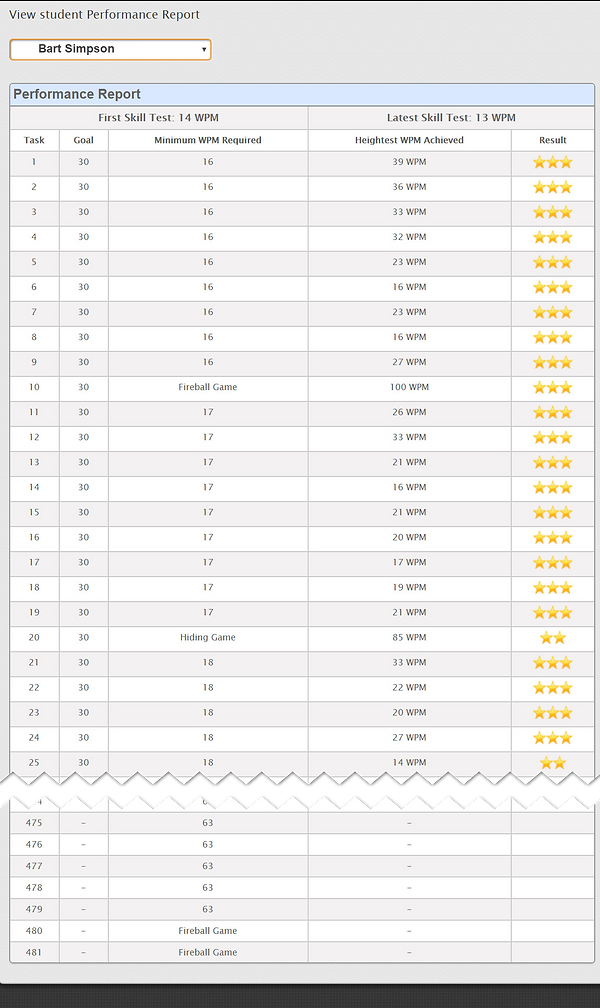

Includes 48 levels consisting of nearly 500 drills and challenges!
Unique Features
Theme-based quest with compelling story, graphics, music, and sound effects to keep you engaged from beginning to end.
Designed for people of all ages and typing skills, from beginners who have never typed before, to experienced typists who want to enhance their typing skills.
The typing activities and gamification are strategically designed to support and enhance proper typing technique.
GoVenture Typing starts with a typing-speed test to assess your current skill and allows you to set the goal that you would like to achieve. The game then adjusts the scoring system based on your set goal. When used in schools, instructors can set the same goal for all students or individual goals for each student.
On-screen hands light up to show what finger should be used to press each key. There is also a voice option that you can turn on that will tell you which finger to use (index, middle, ring, pinky, thumb).
Words-Per-Minute speed is tracked and displayed in real time. Detailed Performance Report for students and instructors can be printed or viewed online with real-time updates.
The entire game consists of 32 main LEVELS and 16 bonus LEVELS. Each LEVEL consist of 9 DRILLS and 1 CHALLENGE. That’s a total of nearly 500 activities providing 5 to 10 hours or more of learning time.
Multiple versions are available. Online subscriptions are available for personal and school use. Schools also have the option of a locally-installed network version that does not require Internet or yearly or per-student fees.
Purchase Options
Online Subscription plays from the cloud in a browser on computers, Chromebooks, and tablets. Deliver your curriculum in person, online, or at a distance. Includes instructor website for easy monitoring of student progress and performance.
Perpetual version is installed and plays on Windows and Macintosh computers in your school or organization with no renewal fees. Note — perpetual version does not have an instructor website.
View PRICES for details.
STUDENT PRIVACY is fully maintained.